Group Members can be removed from a Group in one of two ways:
Important Note: Removing a group member from a Group does NOT cancel the Membership. If the Member does not wish to continue their Solidarity Membership, a cancellation request must be received from the Member according to the Solidarity HealthShare Sharing Guidelines.
Roll-Off Group Member With an End Date
- Log into your Patron Center account
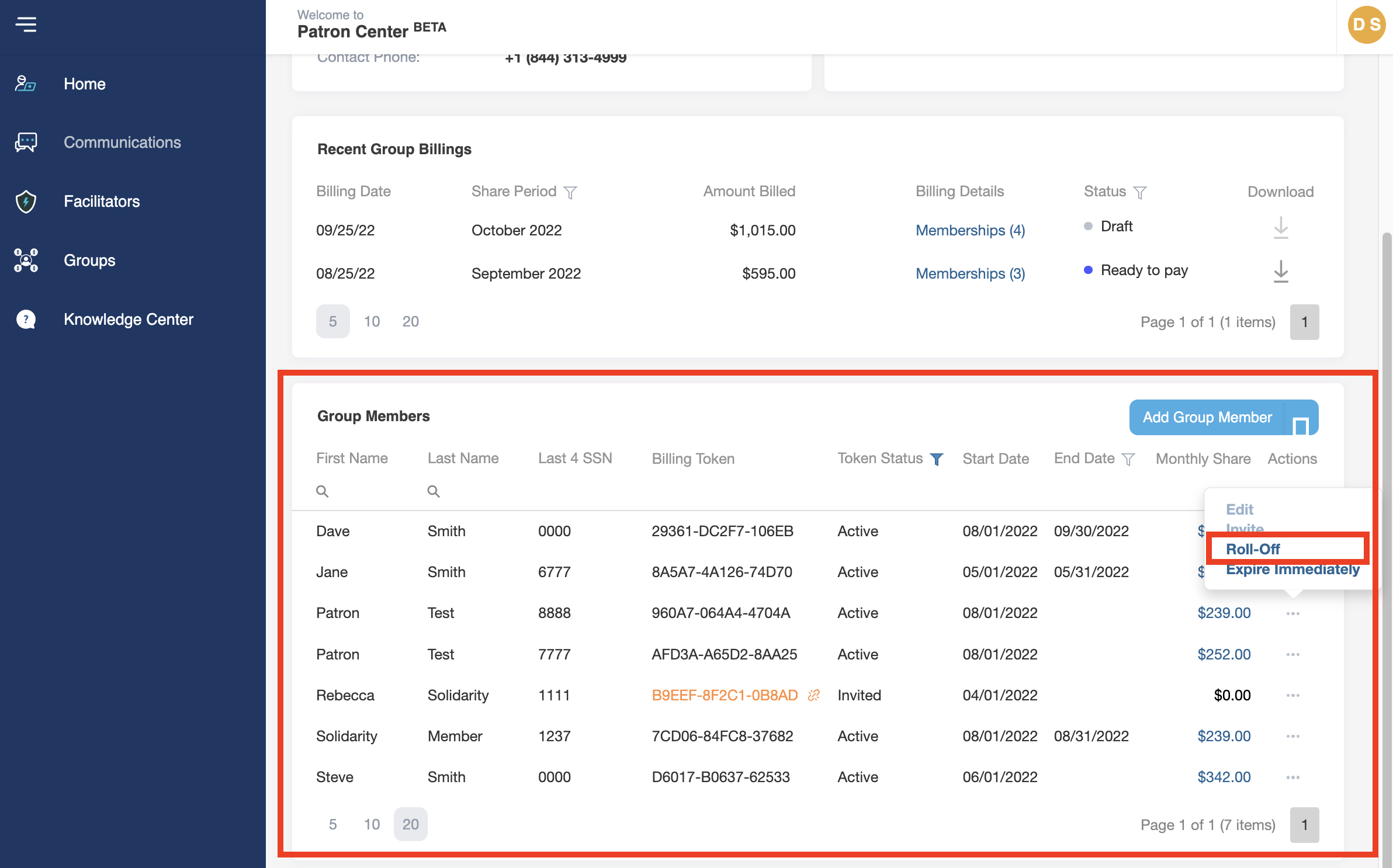
- On the account Home page, under the Group Members section, click on the three dots (. . .) under the Actions column to the right of the Member’s name to be removed.
- Click Roll-Off
- In the Membership Roll-Off box, select the End Date (must be the last day of a month).
Note: As a reminder, Solidarity collects Share Notice funds in the month prior to the Sharing period. It may be possible that the Share Notice for the Sharing month after the end date you select is already funded. Please review this carefully prior to removing a group member from the group. If funds are already collected, refunds for those Share Notices will not be granted.
- Click Save
- The group member will have an end date added. If you would like to add the group member to the Group again in the future, use the Link Existing Membership
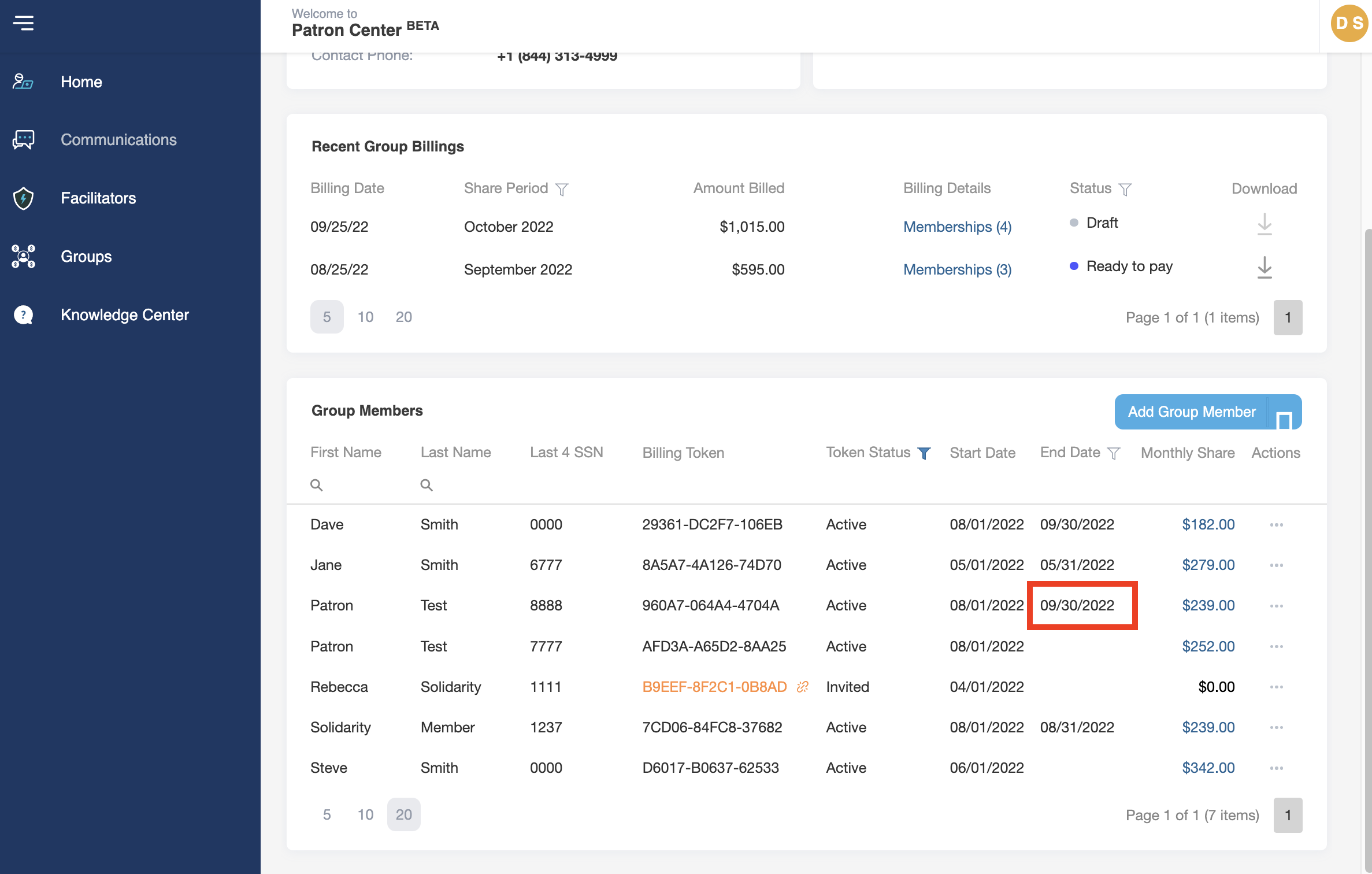
An email will be sent to the Member informing them of their end date and reminding them to update their payment method on their Membership. If the Member does not wish to continue their Solidarity Membership, a cancellation request must be received from the Member according to the Solidarity HealthShare Sharing Guidelines.
Immediate Group Expiration
- Log into your Patron Center account
- On the account Home page, under the Group Members section, click on the three dots (. . .) under the Actions column to the right of the Member’s name to be removed.
- Click Expire Immediately
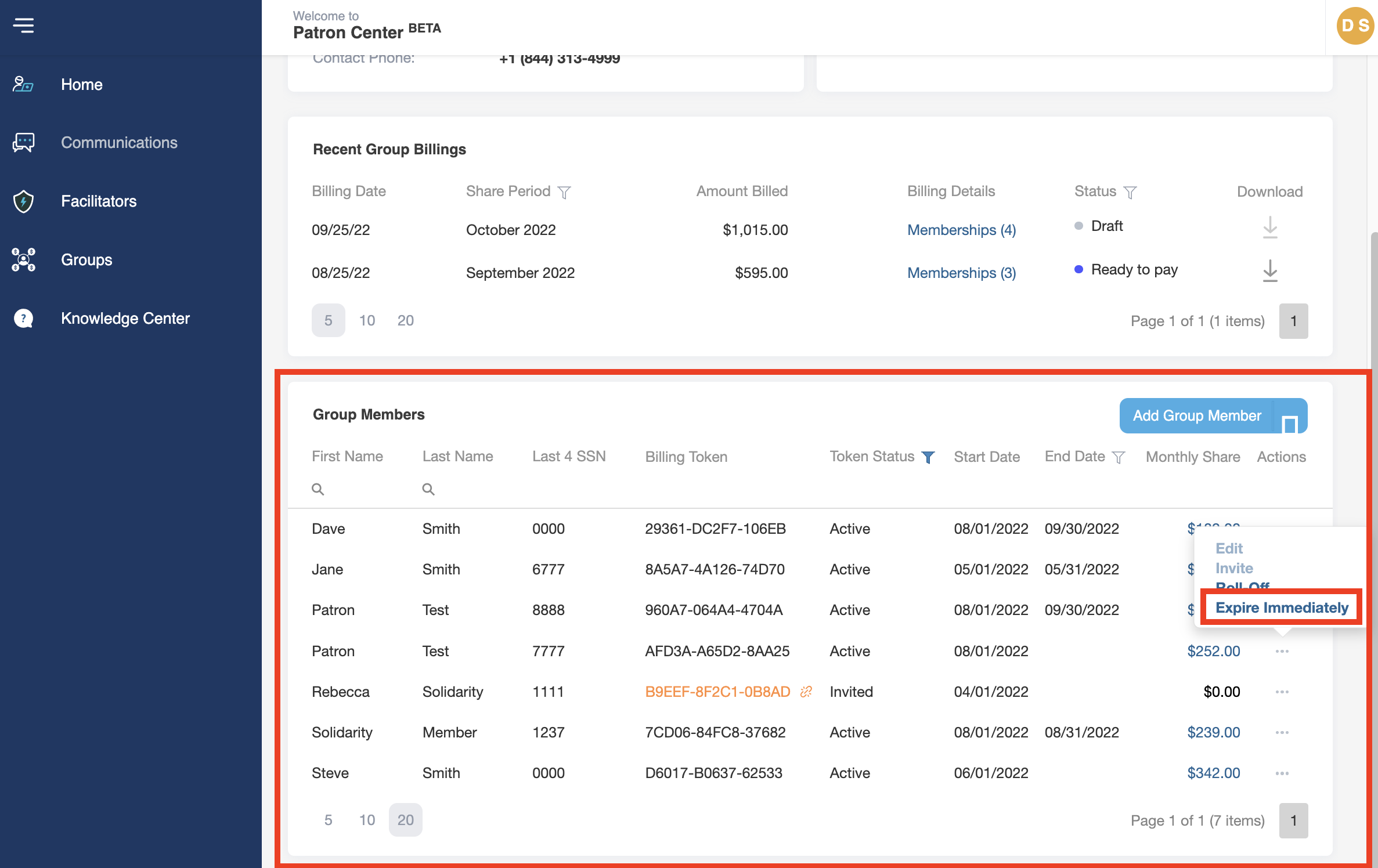
- The group member will be removed from the Group and will no longer appear on the list. If you would like to add the group member to the Group again in the future, use the Link Existing Membership method.
An email is not sent to the Member when you select this option, so it can be used to correct any errors made while adding Members to your Group.