If the group member is a newly approved or an existing Solidarity HealthShare Member, be sure to have their Membership ID number and the email associated with the Primary Member on the Membership ready to complete this process.
- Log into your Patron Center account
- On the account Home page, under the Group Members section, click on the Add Group Member button in the top right corner
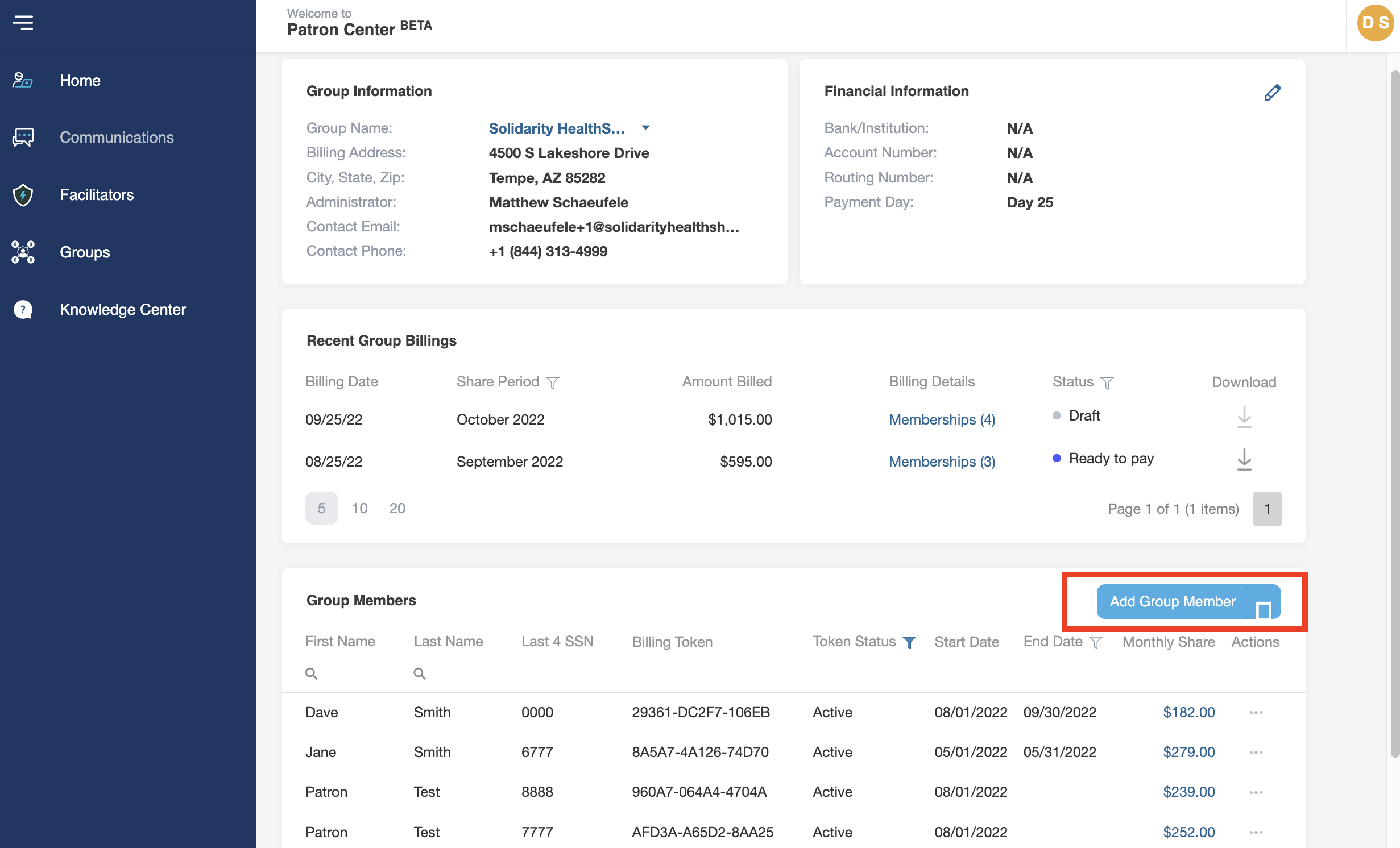
- Click on Link Existing Membership
- In section 1, input the group member’s Membership ID number and the email associated with the Primary Member on the Membership and click Search.
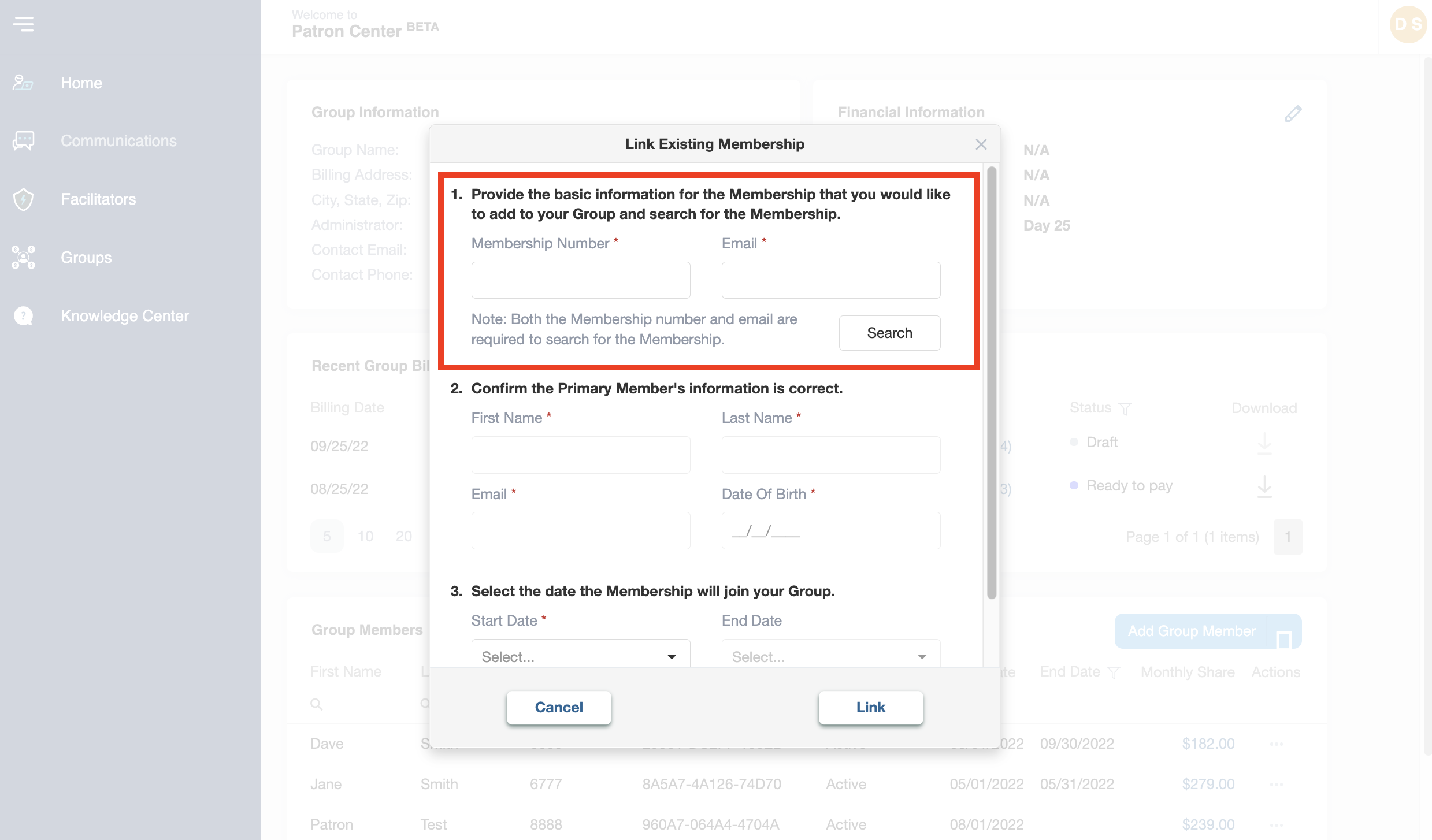
- Section 2 will automatically fill in the Membership information of the Membership’s Primary Please confirm that the information is correct. If it is not correct, try again.
- In section 3, choose a Start Date from the dropdown. This will be the date on which the Group will start facilitating the funding of the group member’s total Monthly Contribution Amount.
Note: This will include any monthly fees on the group member’s Monthly Contribution, such as the fee for participation in our health coaching program, Solidarity Well.
- If you would like an email to be sent to the Primary Member notifying them that their Membership is now part of the Group, check the box that says “Send a notification after the Member is added to the Group.” If not, uncheck the box.
Note: You do not need to choose an End Date if you do not want to. The Membership will remain part of the Group until you decide to remove it.
- To add the Membership to your group, click Link.
- Confirm that you would like to facilitate funding of the Monthly Contribution amount listed by clicking Ok.