Once all the Monthly Contributions for your group fund each month on your auto-funding date, a Group Billing statement will be available to view and download.
- On the Home page, locate the section titled Recent Group Billings
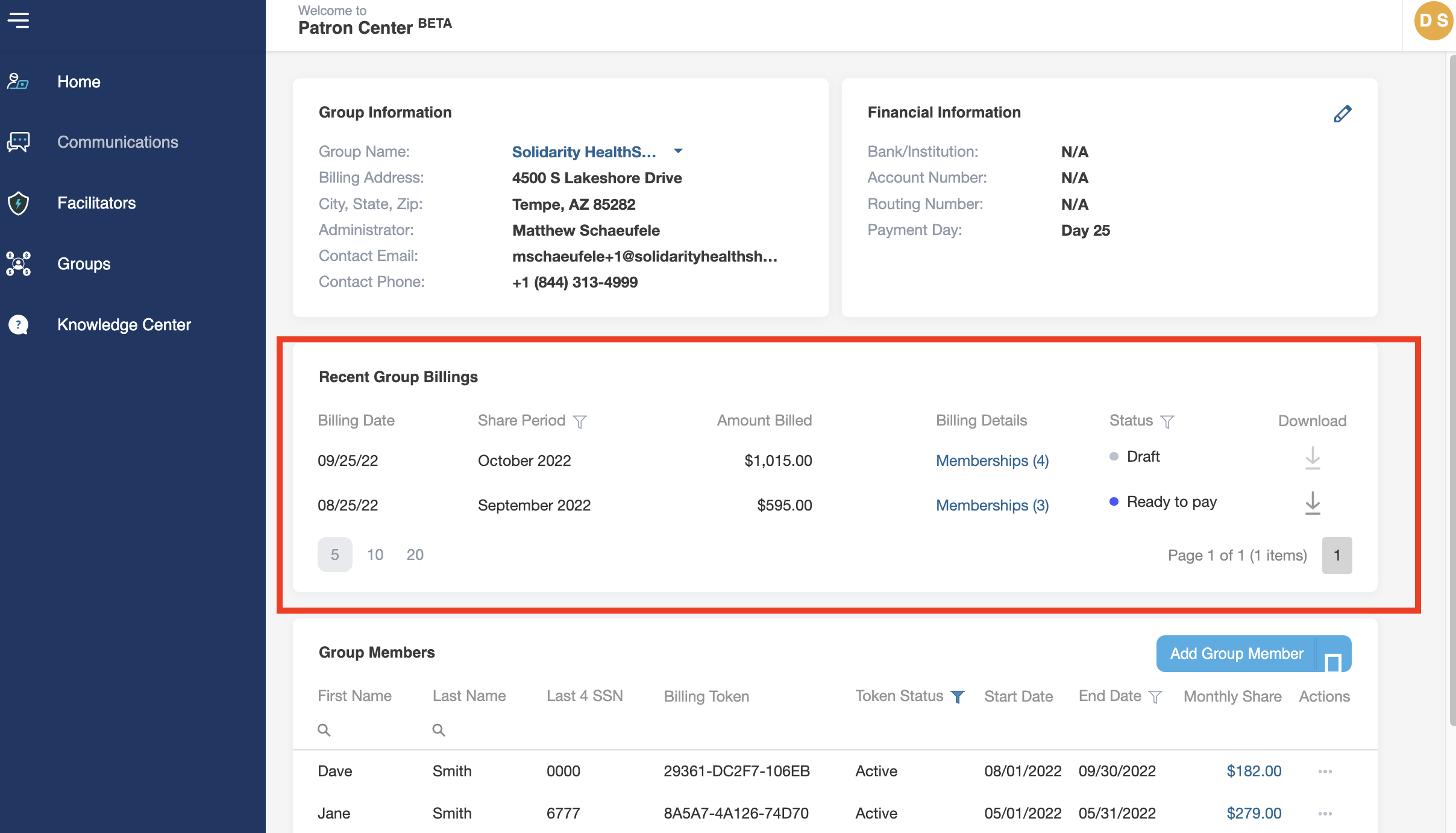
- In this section, find the Monthly Contribution payment in which you would like to download an invoice.
- To simply view the details of the statement without downloading, click on the "Memberships" link under the "Billing Details" column.
- Click on the download arrow under the "Downloads" column to download the statement.
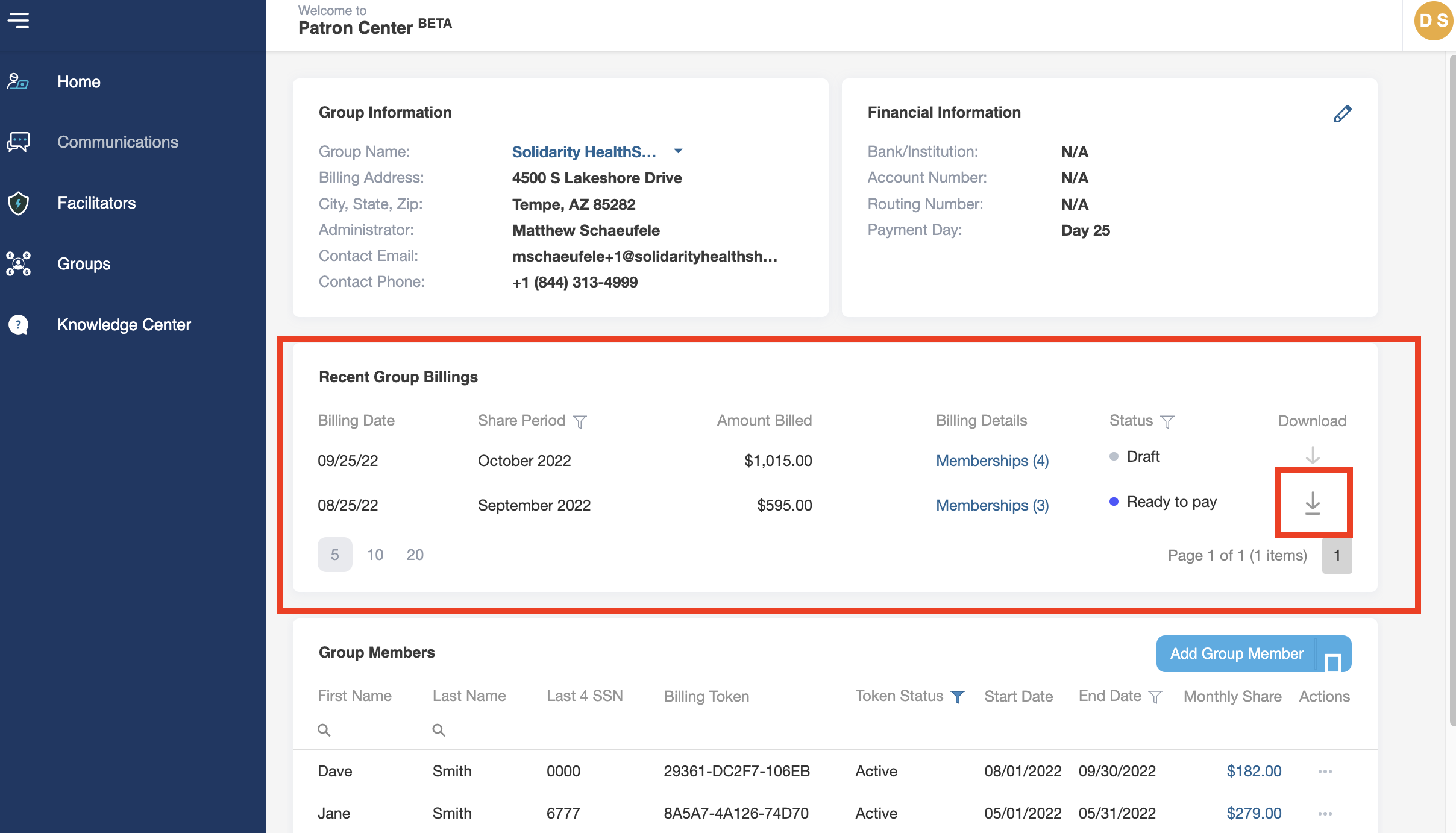
- The statement will download as a PDF from your browser. Depending on your browser settings, either open the downloaded PDF or save it to your computer, then open it.